Verify Visit Penida’s NIB on OSS
Check Visit Penida’s business registration on Indonesia’s official OSS portal before you book.
-
Open the OSS website
Go to oss.go.id. NIB stands for Nomor Induk Berusaha, Indonesia’s business identification number. If the site opens in Indonesian, select ID at the top and choose English.
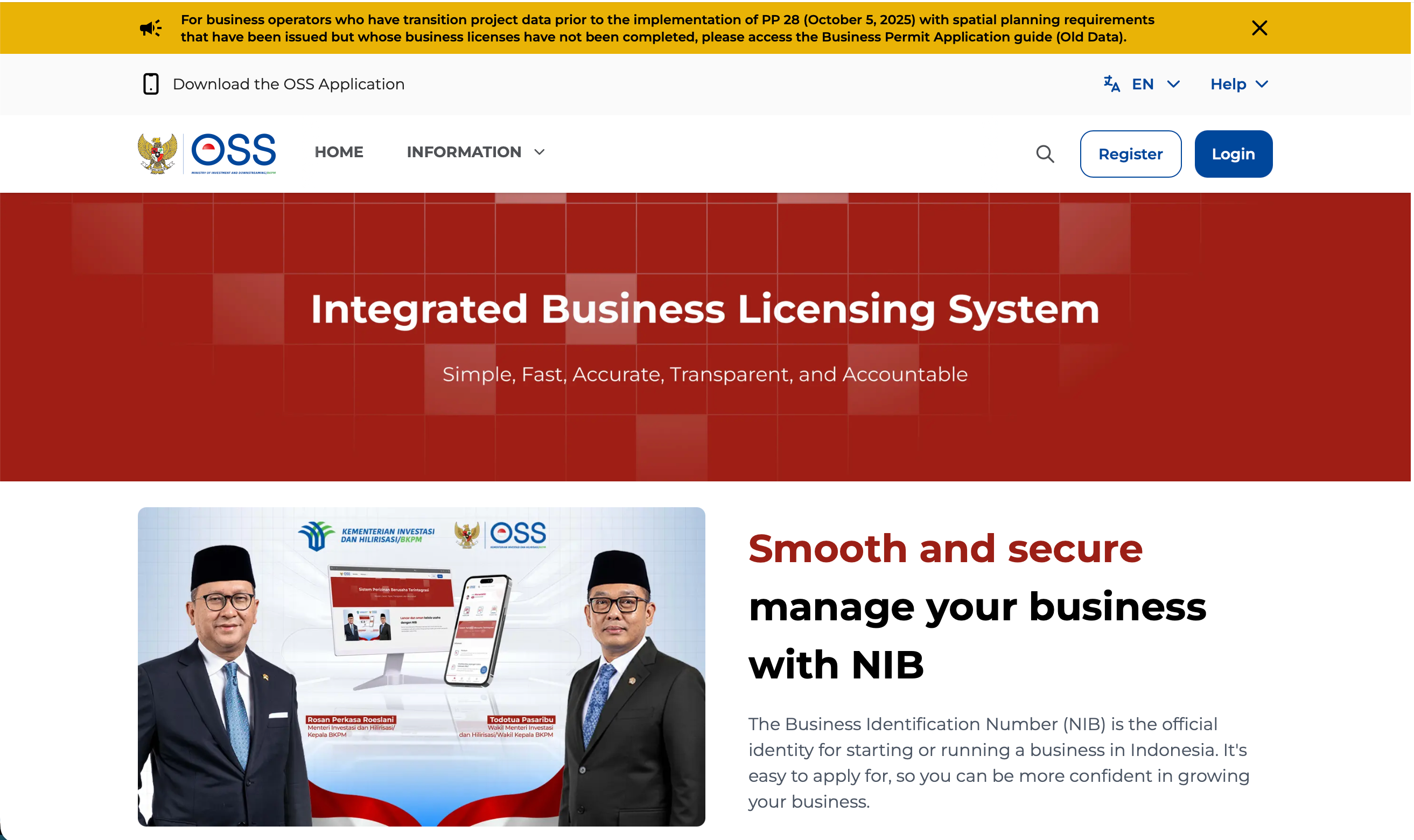
Screenshot from OSS Indonesia Open full-size screenshot -
Find the NIB search at the bottom
Scroll to the bottom of the page and find Search NIB (Pencarian NIB in Indonesian).
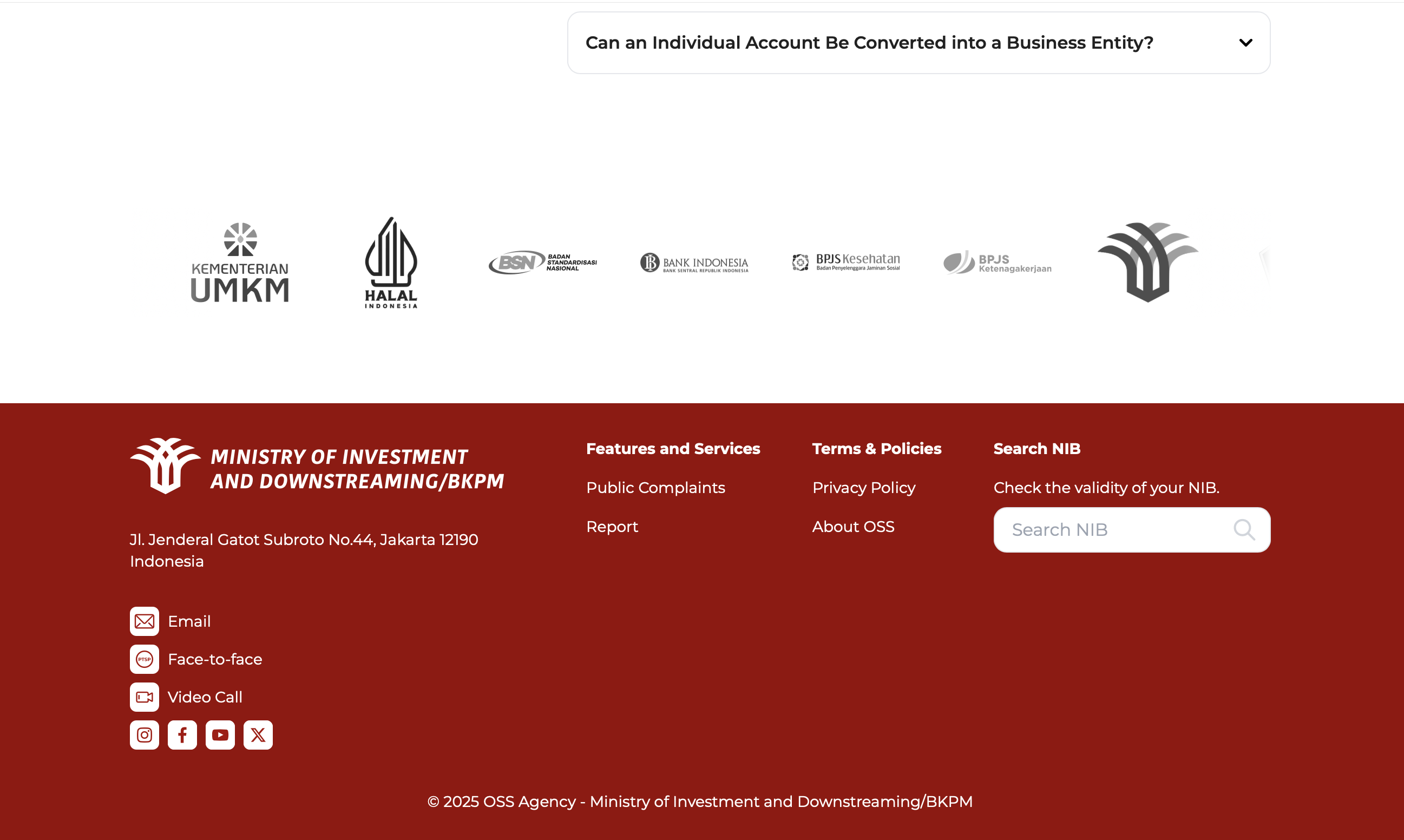
Screenshot from OSS Indonesia Open full-size screenshot -
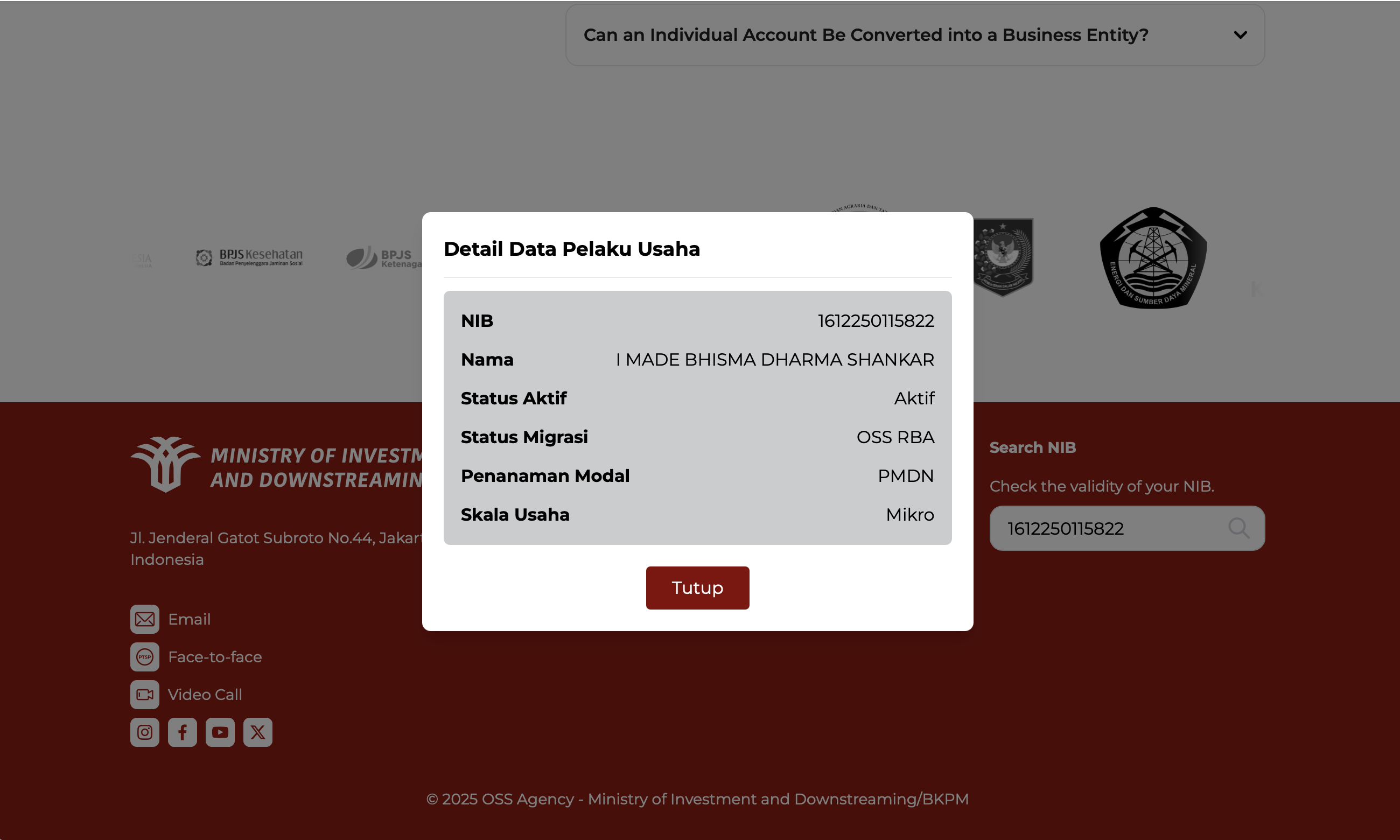
Enter Visit Penida’s NIB
Enter 1612250115822 and select the magnifying glass. Complete the security check if OSS shows one.
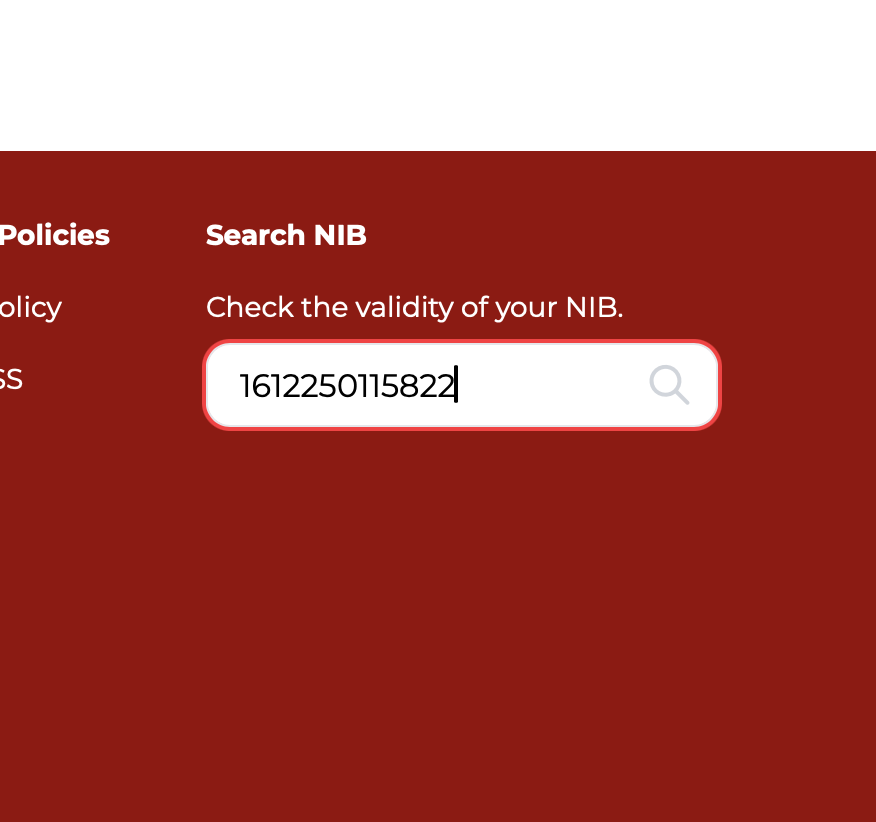
Screenshot from OSS Indonesia Open full-size screenshot -
Match the name and status
- NIB
- 1612250115822
- Registered name (Nama)
- I Made Bhisma Dharma Shankar
- NIB status (Status Aktif)
- Aktif (active)
The owner’s screenshot shows the NIB as active in the OSS registry. Run the search on OSS to see the current status.
Screenshot from OSS Indonesia Open full-size screenshot